

Text highlights indicating errors appear within the Rich Content Editor content preview after a check has run.
‹ Return to Canvas Know-How: Using the Accessibility Checker
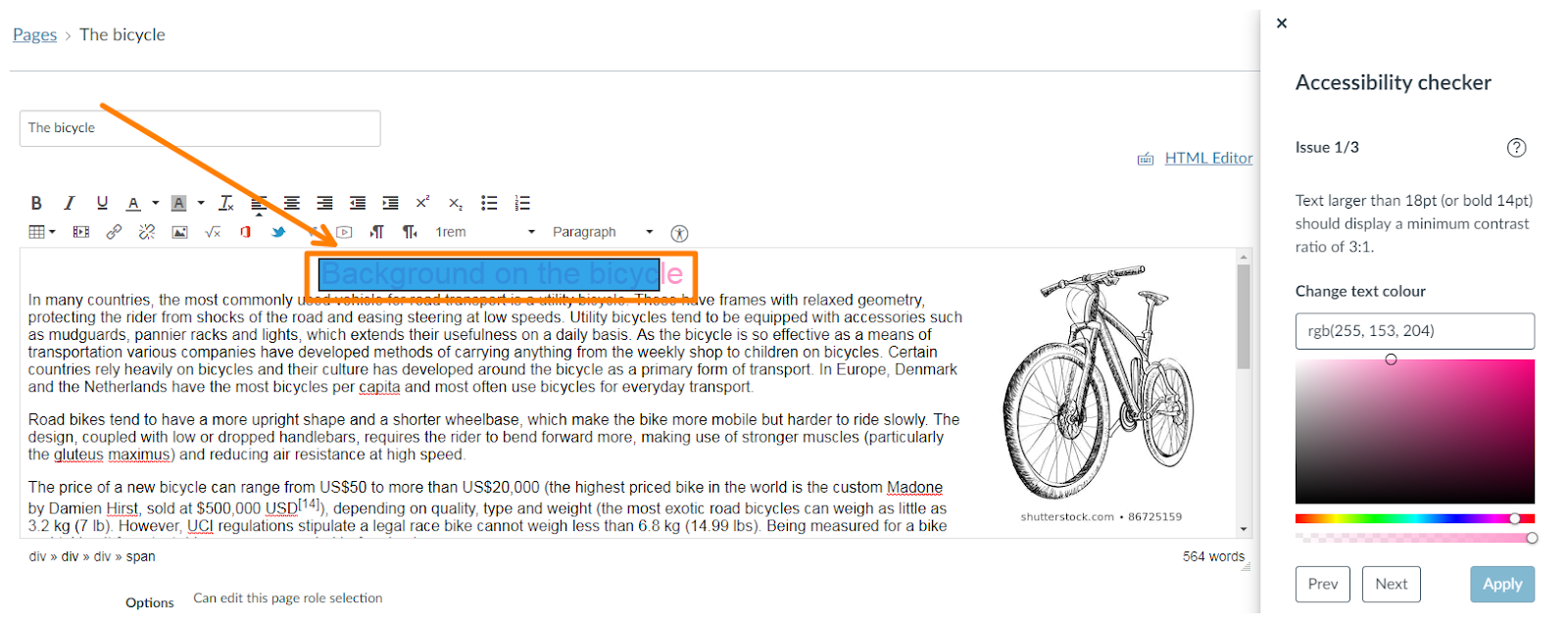
Text highlights indicating errors appear within the Rich Content Editor content preview after a check has run.
Leave a Reply