

Illustrative image – The Accessibility checker changes can be applied by clicking the Apply button that appears in the bottom right hand corner.
‹ Return to Canvas Know-How: Using the Accessibility Checker
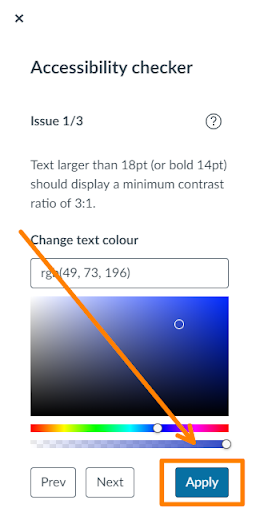
The Accessibility checker changes can be applied by clicking the Apply button that appears in the bottom right hand corner.
Leave a Reply