

Educational Enhancement’s latest blog by Mark Thomas (Learning Technologist)
What
Canvas have released a great update to its support of accessibility within modules: a new Course Accessibility Checker. Designed to help making your modules more accessible easier, faster, and more intuitive. The key difference is that a dedicated accessibility tool will be available from the navigation pane on all Canvas modules. The tool will scan all your pages and assignments (not documents, pdfs and discussions) simultaneously and give you an accessibility report from a single dashboard.
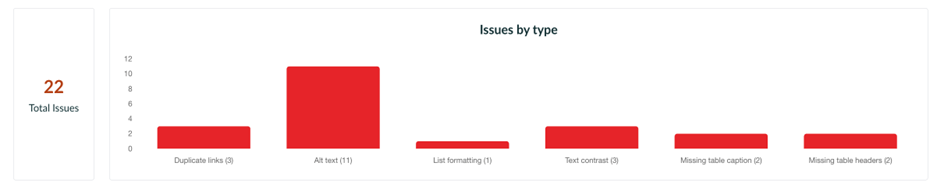
(Report view for new Course Accessibility Checker tool)
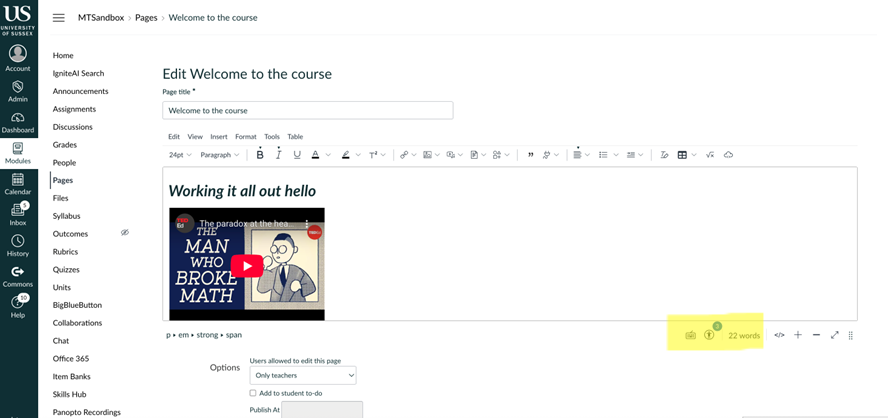
(Current accessibility alert in the Rich Text Editor on individual pages)
Why This Matters
As per our legal obligations and in line with the Dignity, Respect and Inclusion Policy accessibility is everyone’s responsibility. This update will help convenors to evaluate their Canvas modules and make the necessary adjustments to ensure they are creating an inclusive learning environment. This tool will be something we use to help achieve our vision, mission, and values for 2035.
When – Phase 1 – February 21, 2026
The first rollout brings several new features that enable a module‑level accessibility workflow. Detecting issues will initially only be supported in Canvas Pages and Assignments (not inc quizzes)
- Module-level central interface: accessible from the module navigation pane, the checker offers a birds-eye view of all identifiable accessibility issues. Results can be filtered to help specify where help is needed e.g. only published pages.
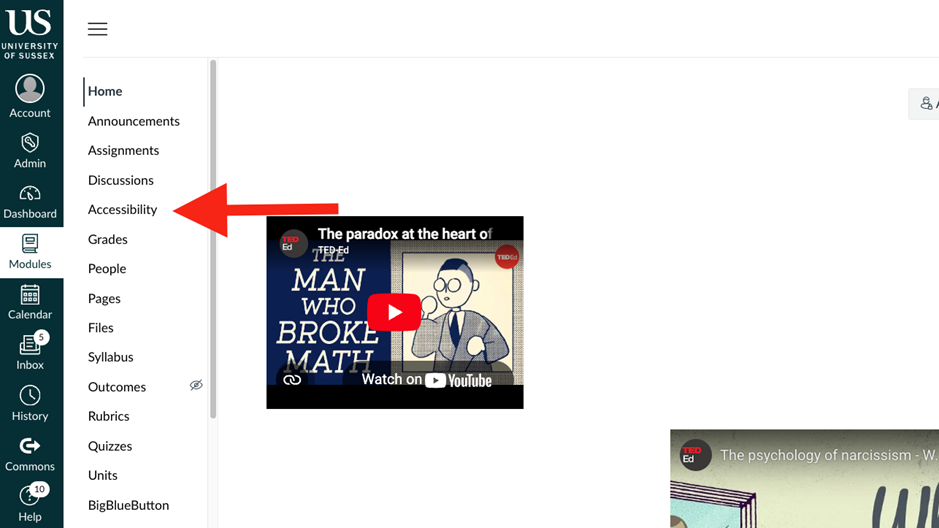
(Module Accessibility Checker Page)
- Scanning native Canvas content: detecting issues will initially be supported in Canvas Pages and Assignments.
- Fast, intuitive way to review and fix: see accessibility issues across your learning resources without opening the content separately. The remediation wizard explains what’s incorrect and provides in-context controls to resolve issues. Initially, addressing the most common accessibility issues: heading structure, image alt text, text contrast, and hyperlink duplication
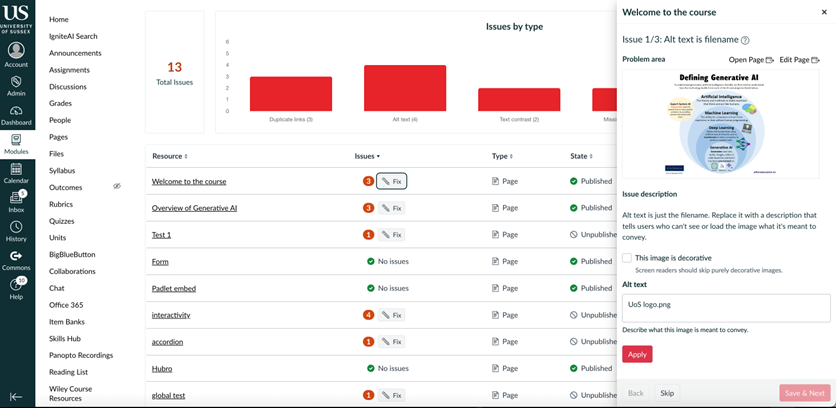
(Fix wizard for Alt Text issue)
Looking Ahead
As mentioned at the start, only the pages and assignments will be checked, and any uploaded files will still need to be designed using the available accessible tools e.g. Microsoft Accessibility Checker. Canvas have said features such as AI remediation and alt text generation are planned for phase 2 release later this year. As accessibility expectations and legislation continue to evolve. Tools like this help us build fully inclusive learning environments.
Final Thoughts
Canvas’s new Course Accessibility Checker represents a meaningful leap forward in simplifying accessibility compliance. For convenors, it reduces complexity and time spent searching for issues. Making our Canvas modules more accessible and in line with universal design for learning.
If you have any questions or would like more support with accessibility in your teaching, please visit the EE Staff Hub or email us at ee@sussex.ac.uk

Leave a Reply