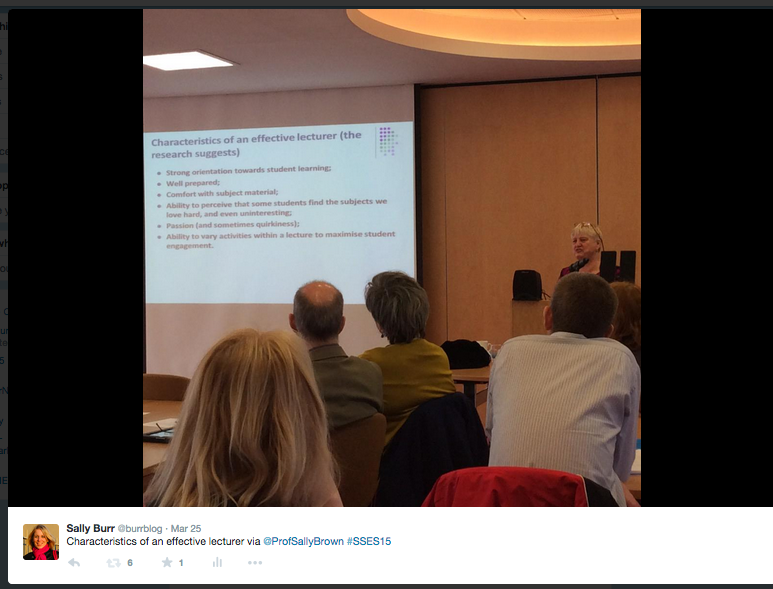


creative commons licensed (BY-NC) flickr photo by julochka

creative commons licensed (BY-NC) flickr photo by julochka

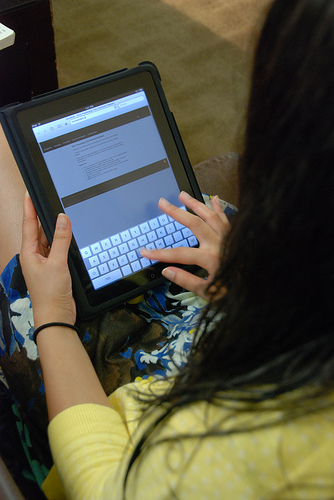
creative commons licensed (BY-NC-ND) flickr photo by UBC Library
There are many mobile apps and browser-based digital tools that are designed to help with life at university, but it can be difficult to know which to choose for particular tasks.
In September we ran a blog post on ‘Smarter Study’ which identified 5 essential apps for students. Today we are focusing on writing for university and highlighting how tools can come together in a digital writing workflow. Read more ›
For March’s app review we would like to introduce a presentation and storytelling software called Prezi.
Prezi is a cloud-based service for presenting ideas from a virtual canvas. Cloud-based means that it lives on a server on the internet rather than on your computer.
Prezi allows individuals or groups to work online to create ‘Prezis’ using a mix of text, graphic and multimedia content ‘framed’ onto to a scalable 3D canvas.
The interface includes a zoom function which allows users to navigate through frames on the canvas which display using a variation of angles and levels of magnification.
See the following ‘What is Prezi?’ presentation to view an example of Prezi and learn more about how it works. Read more ›

creative commons licensed (BY) flickr photo by brainblogger
We often hear podcasts and screencasts discussed as learning resources, but what exactly are they? And how can you create them?
A podcast is an audio file that can be downloaded and listened to as and when individual listeners would like. A screencast is a recording of your computer screen which is usually accompanied by audio narration or captioning.
Take a look at some of the example podcasts suggested in our blog post ‘Learning on the move? Make the most of your commute?’, or view this screencasting example to see how the TEL team have used screencasting to create a learning resource for Poll Everywhere. Read more ›
When it comes to the iPad, we in Sussex TEL usually write and publish blog posts concerning new and exciting apps, methods of recording video and ways of using the iPad in teaching and learning.
However, we have recently realised that, whilst all these things are great and useful to many, we may have missed out the step of getting started with the iPad, which is where others may be.
We hope that this blog post, coupled with the ‘Getting started with your iPad’ workshop we are delivering on 27th March 2015, will reach anyone who has been left in iPad purgatory and needs a helping hand.
Read more ›
Open Education is a movement, a set of practices, a collection of resources and a range of tools. What brings them together is the aim of sharing knowledge, and technology is making that possible with an ease and on a scale previously unimaginable.
To get a better idea of what Open Education can be, we asked some colleagues what it means to them.
Openness influences the way that Dr Lucy Robinson (History) behaves as an academic:
‘Open education is about more than free access alone, it’s about being open to new ways of working with colleagues, with our students and with our communities.’ Lucy Robinson
Next week is Open Education Week (OEW) and for the second year, Technology Enhanced Learning (TEL) and the Library are joining forces to mark OEW at the University of Sussex and bring colleagues events and resources on the theme of ‘openness’ in higher education.
The week will begin with a post on this blog exploring the concept of Open Education and what it means to colleagues here at Sussex and in the wider HE community. We hope that this will set the scene for a week of conversations, face-to-face and via social media using the #openeducationwk hashtag. Read more ›
Available on both iOS and Android, ThingLink is a free app that allows you to create and share engaging interactive images. With ThingLink users can overlay rich media tags onto an image or diagram and embed links and multimedia from across the web as well as text, images and recordings, allowing for many different kinds of resources to be drawn together in one place in a visual and interactive medium. These images can then be shared and embedded or even ‘remixed’ by other users.
ThingLink also has a strong social element with profiles for each user and the opportunity to ‘Follow’ other ThingLink users for updates on their creations. In addition to this, the tool has included the idea of ‘Touching’ posts, similar to the way in which you would ‘Like’ a Facebook post, encouraging sharing and resharing of images and the circulation of ideas and knowledge. Read more ›