
Are you a tutor who would like to further enhance your students’ engagement with your module? Are you using the Virtual Learning Environment (VLE) to its full potential or the opportunities that e-textbooks can bring?
In the TEL team we recognise that your VLE module site can be understood to be a module-specific textbook that provides engaging online texts and activities that support your face-to-face teaching. If used to a deeper level, particularly with functions that will be available on Canvas, the VLE platform we will be delivering in September 2018, it can also be used as an interactive tool delivering personalised learning content to your students according to their needs. It can be the online space that blends your teaching with an online space for students to “self-regulate their learning” (see Nicol & Macfarlane-Dick 2007). However, this requires some work on your part and you may prefer to use an interactive e-textbook that has already been created.
In this blog post, I talk about what an “interactive e-textbook” is, highlight their importance in supporting blended learning in your teaching, report back on a case study of an academic here at Sussex University who has used an off-the-shelf interactive e-textbook to provide his students with a deeper, blended learning experience and conclude by providing you with options of how you could enhance the blended learning opportunities on a module that you are teaching by using an e-textbook or creating a similar interactive resource in the VLE.
Interactive e-textbooks
Are you an academic uses textbooks to support their teaching? If you do, or you are considering it, you may want to explore the possibility of providing your textbook online. There are many advantages to providing your textbook online, many of which are outlined in our previous post: Ebooks – what’s not to love. Additionally, many providers of ebooks will personalise them for your module by collating chapters from different books and a few provide your students with an interactive experience.
Interactive e-textbooks provide much more than just text or even text with end-of-chapter questions, they can provide you, as a tutor, with a complete “interactive” curriculum. Its interactive because the e-textbook stores data on the students, including what chapters they have read, what questions they have answered, how they answered them and so on. According to the data the e-textbook has about the student, it adjusts content appropriately and flags areas that might be of interest giving them.
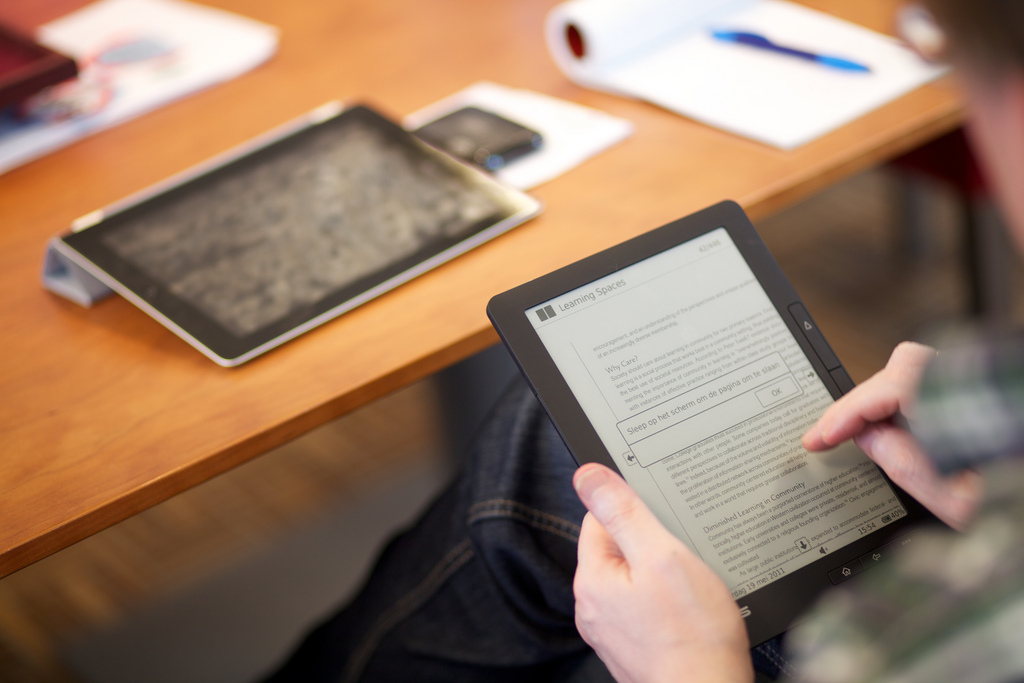
“The unbound book conference” flickr photo by networkcultures https://flickr.com/photos/networkcultures/5737035678 shared under a Creative Commons (BY-SA) license
E-textbook can be bought, but you can also recreate many of their features through the VLE. One way to use interactive online tools in your teaching is to provide your students with a deeper, blended learning experience.
Blended Learning
Blended learning may sound like a buzzword from the noughties, but to us in Technology Enhanced Learning it is as relevant as ever. It is basically the seamless amalgamation of the learning students do face-to-face with you and their peers and the learning they do online.
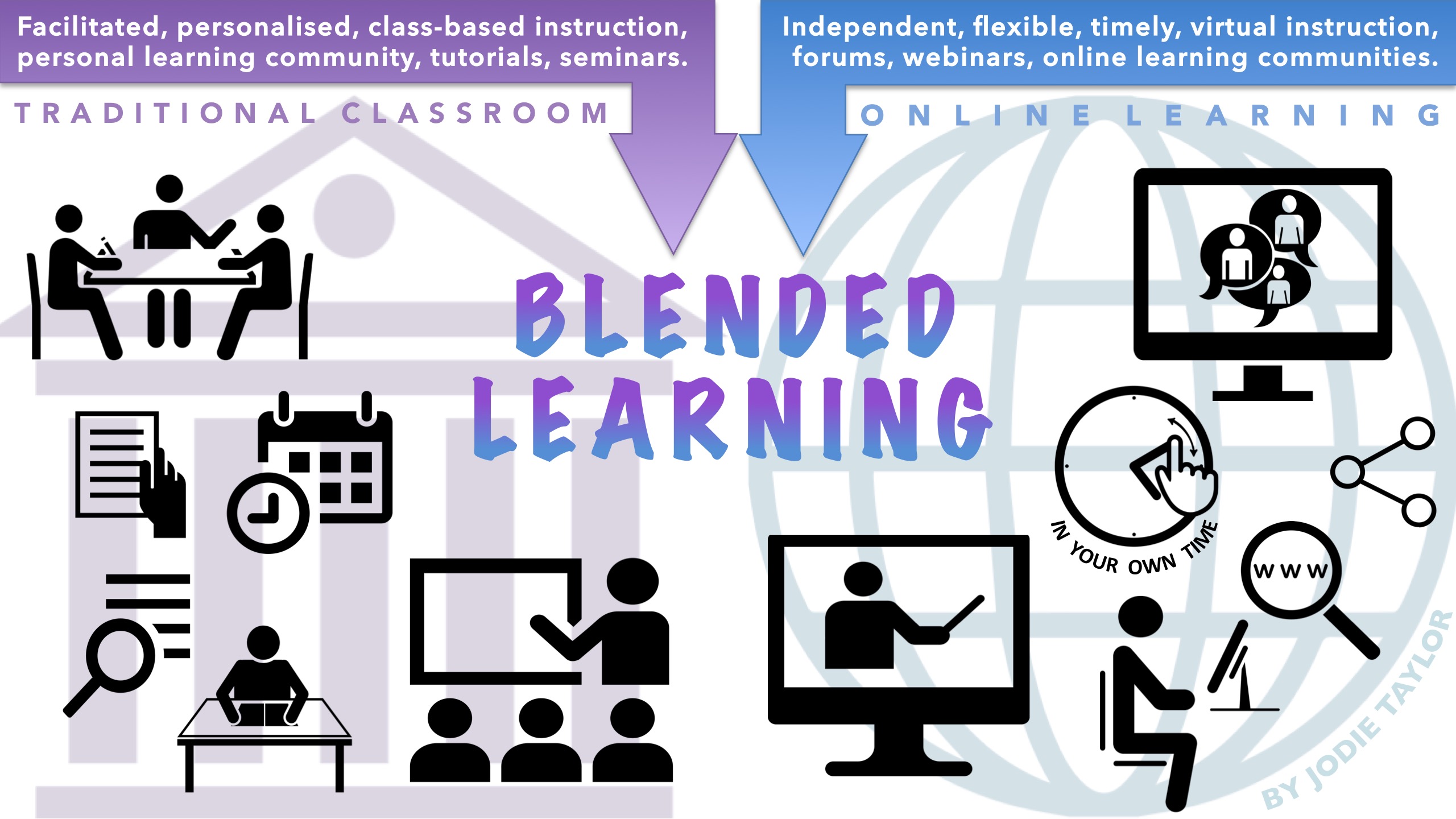
“blended learning graphic overview” flickr photo by jodieinblack https://flickr.com/photos/jodieinblack/29155993523 shared under a Creative Commons (BY-NC) license
An online space for student learning is important, and providing this space is the foundation for blended learning. Our daily face-to-face activities are often complemented by an online space. For example, work and research networks are often created in face-to-face conferences, but they are maintained via an online broadcast and communication platform, such as Facebook and Twitter. In the same way, it is important for our students to have face-to-face spaces for learning and an online home.
For us as tutors, we are supporting our teaching with blended learning when we provide plenty of regular opportunities for students to engage with these online spaces outside of face-to-face teaching time with learning activities that allow students to self-regulate their understanding. It is important for the activities taking place in class to be referred to and support by the activities the students are engaging in in the online space. E-textbooks can support your endeavours to blend learning by providing texts and interactive activities. And for students studying Supply Chain Management here at Sussex University, they do.
An interactive e-textbook case study: Supply Chain Management

Dr Nachiappan Subramanian
One of our own Sussex University academics has been employing an e-textbook to good effect. Dr. Nachiappan Subramanian is a Reader in Business & Management. Last year, Dr. Subramanian found the student cohort on his Supply Chain Management module to be largely passive in the way they received information and answered questions. This passivity was hard to overcome given the number of students doing the course. This year he still has a large cohort of almost two hundred and fifty students and his goal is to increase the students’ interactivity with the module content so they gain a deeper understanding of the issues.
In order to do so, he wanted to provide access for his students to an online space that would blend his face-to-face teaching with online activities that the students could do in their own time. Rather than attempting to design and create all the activities himself he looked for external help. The publisher McGraw-Hill Education introduced him to an interactive e-textbook on Supply Chain Management that he could use to meet his aims. The e-textbook provided readings, relevant case studies, weekly multiple choice questions, an online game and even lecture slides.
Dr. Subramanian adapted his teaching syllabus to blend his face-to-face teaching with the e-textbook readings, and learning activities. In any given week the students are expected to:
- Read a chapter from the e-textbook, including a case study that relates to the chapter’s content
- Have a face-to-face lecture, some of the slides of which came from the e-textbook presentation bank
- Do multiple choice questions (MCQs) (and sometimes essay questions) in the e-textbook
- Play the e-textbook’s online game, in which the students need to practice the operations required to own an apparel company and maximise profits
- Attend a two hour seminar of around thirty-five students where they are given a case study from the e-textbook, put into groups, and asked to consider and present on a particular question (different from the other groups) relating to the case study
The e-textbook MCQs provided the ability for students’ to self study and identify areas in which they could improve their understanding. The online game provided the opportunity to practice the application of the academic theories being presented through the module. He had to adapt his teaching content slightly because the case studies were mainly from the United States, but because the companies in the case studies were big and well known outside of the US, Dr. Subramanian did not feel this caused significant issues. In fact, Dr. Subramanian said that they were better than the ones used previously on the module. They could be used to practice many disciplinary skills, and they were also short which made them popular with the students.
The biggest improvement to Dr. Subramanian’s teaching resulted from his ability to track his students’ progress and to apply the learning analytics data that the e-textbook was able to collect to his teaching delivery. If students performed badly or didn’t do the MCQs or the online game, the tutor could identify this and email them with the click of a button. If there was a particular MCQ question that the students were getting wrong, or part of the online game that they were struggling with, the tutor could return to the topic again in his lectures.
I spoke to a around sixteen students about the module’s use of the e-textbook. They were overwhelmingly positive – many of them gushing praise on the support the e-textbook gave them and the way it was blended in to the complete teaching method. Student comments included:
“Nothing would top it”
“Very useful – it provides a lot of questions and it makes it easy for me to practice”
“I use it to revise and strengthen knowledge”
“I am able repeat stuff and over them multiple times”
“Brilliant for learning and revision”
“Excellent for going over my understanding”
“Amazing! So helpful. Much easier than a book”
In my interviews the students indicated that the MCQs were their favourite part of the e-textbook, which they described as easy-to-use and useful for consolidating their learning and reinforcing their knowledge. The online games which required them to make decisions based on supply chain scenarios was also praised. All of the students interviewed said that they would like other modules to use e-textbooks. The negative comments about the e-textbook were largely about access and, in particular, the fact that in order to access this e-textbook they needed to be online (have an internet connection).
The tutor himself said that the use of the e-textbook improved the quality of his working day and his job satisfaction because he could see that his students were engaged and were learning. He did warn, however, the blended learning model he had employed had significantly increased his workload.
Opportunities for Blended Learning in your teaching
If you use textbooks or want to support your teaching through blended learning there may be an e-textbook available that can support you, but be aware, just purchasing a e-textbook and making it available to your students isn’t blending your teaching. You need to embed the e-textbook in to your face-to-face teaching as well. The TEL team will be happy to talk to you further about this.
If you are interested in using e-textbooks or an e-textbook, speak to the TEL team (tel@sussex.ac.uk) who can provide you with information and support. You will also need to liaise with the Director of Teaching and Learning (DTL) for your school. The DTL will coordinate the purchase of e-textbooks for you and the rest of the school with the library.
The free alternative
 The VLE site provides the opportunity to provide a bespoke textbook for your module. On top of that the VLE activities store data on your student and there are opportunities to personalise the teaching to the needs of the individual student, just as the e-textbook has done for the students on the Supply Chain Management module. The great news is that Canvas, the new VLE coming to Sussex next year, will provide even more opportunities for you to do this, so if you haven’t already, book yourself into one of the Canvas Fundamentals workshops.